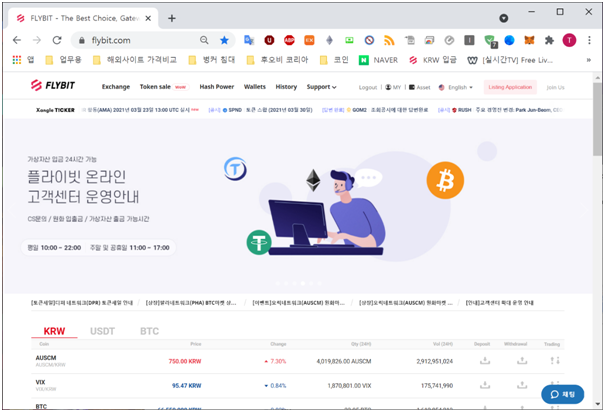
1 Log into Flybit and go to "Token Sale WoW". You can find it in the menu next to "Exchange"
(Be sure to deposit USDT in advance. Find Wallets>USDT>Deposit. Make sure to click "Generate Address" and select the correct network Erc20 or Trc20)
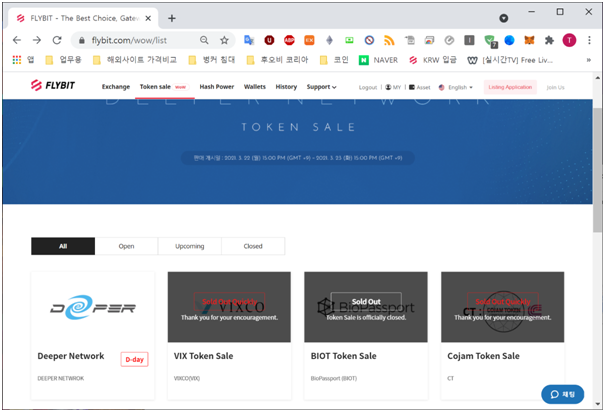
2 Select the token from the token sale list.
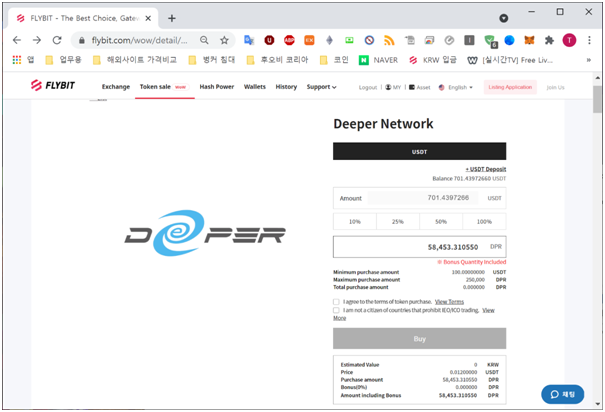
3 Select 100% to select the maxium amount of USDT available.
4 Click the token purchase terms and ICO/IEO banned countries then check agree.
5 Click the "Buy" button
Note: The "Buy" button will not be available until the token sale launch time. Remember to refresh your browser right before the launch time or at the launch.
The token sale will finish when the hardcap is reached or the token sale period expires.